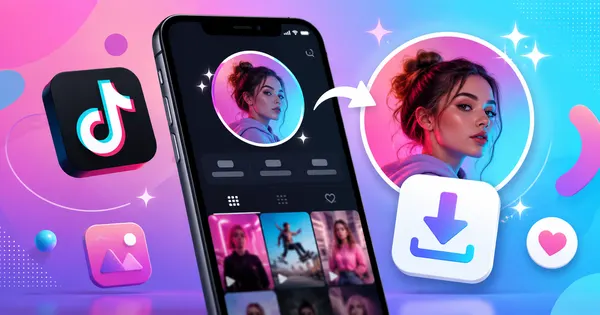
TikTok profile pictures are tiny by default. A little circle, maybe 110 pixels wide, compressed to save bandwidth. You can't zoom in, you can't tap to expand, and if you screenshot it, you get a blurry mess. Pretty frustrating when someone has a really cool avatar you want to see properly.
Whether you're curious about someone's profile picture, need to verify an account's identity, or want to reference a creator's branding — here's how to get the full-size version.
Why TikTok Shows Small Profile Pictures
TikTok, like most social platforms, serves different image sizes depending on context. When showing the profile picture in a comment, on the For You page, or in the profile header, TikTok uses a small thumbnail version — typically 100x100 or 200x200 pixels.
But the original uploaded image is still stored on TikTok's CDN (content delivery network) at full resolution. The original might be 720x720 or even higher — you just need the right URL to access it. That's what download tools extract.
Using TikPink to Download Profile Pictures
The simplest way to get a full-size TikTok avatar:
- Go to the TikTok profile you're interested in and copy the profile URL (something like tiktok.com/@username).
- Visit TikPink.com/profile and paste the URL.
- The tool fetches the profile and displays the avatar at full resolution. Click the download button to save it.
You'll get a JPEG or WebP file at the highest resolution TikTok has stored — usually between 300x300 and 720x720 pixels. Some creator accounts have even higher resolution pictures.
Download Any Profile Picture
View and save TikTok avatars in full resolution, free and instant.
Open Avatar DownloaderCan You Do This Without a Tool?
Sort of — but it requires digging into page source code. If you open a TikTok profile in a web browser, right-click on the page, and inspect the HTML, you can find the avatar URL with higher resolution parameters. But TikTok frequently changes their URL structure and CDN paths, so what works today might not work tomorrow.
Using a purpose-built tool is way faster and stays updated with TikTok's changes automatically.
Profile Viewer: More Than Just the Picture
While you're at it, TikPink's Profile Viewer tool shows you more than just the avatar. You can see the user's bio, follower count, total likes, and other public profile information — all without needing a TikTok account yourself.
This is handy for brand research, verifying accounts, or just getting a quick overview of a creator's profile without installing the app.
View Any TikTok Profile
See full profile information including bio, stats, and avatar — no account needed.
Open Profile Viewer