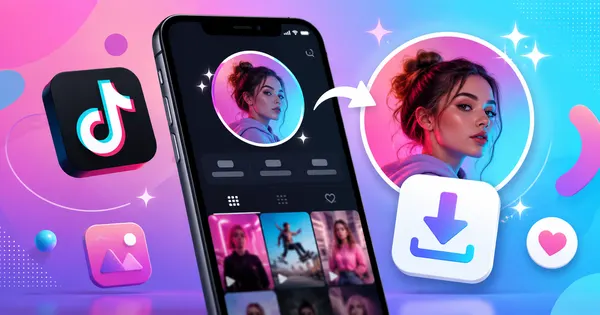
A TikTok profile picture may look tiny on the app, but sometimes that little circle does a lot of work. It might be a creator’s logo, a funny reaction face, a clean aesthetic avatar, a brand image, or the one profile photo you want to save before you lose the account in the endless scroll. That is where a proper TikTok profile picture download method becomes much better than the old screenshot-and-crop routine.
Screenshots are quick, but they are not always kind. On mobile, a screenshot often captures the whole screen, compresses the image, and leaves you cropping around buttons, usernames, and random TikTok interface elements. By the time you zoom in, the profile picture can look like it survived a sandstorm. A dedicated TikTok profile picture downloader helps you save the avatar more cleanly, especially when you want the image for reference, design inspiration, contact matching, or simply because the profile picture is too good to disappear into your feed history.
With TikPink, you can use the profile pic downloader to save TikTok DPs more easily, while other tools like the TikTok video downloader, music finder, profile viewer, and trending page help you explore TikTok content from different angles. This guide explains how to download TikTok profile pictures in HD, what mistakes to avoid, and how to get cleaner results on iPhone, Android, and desktop.
How to Download TikTok Profile Pictures in HD Without Blurry Screenshots
The easiest way to download a TikTok profile picture is to start with the profile itself. Instead of zooming in and taking a screenshot, copy the TikTok profile link or username, then use a tool designed for TikTok DP download. This helps you avoid the most common problem: saving a low-quality image that looks acceptable in a tiny circle but falls apart when opened full size.
Here is a simple step-by-step method:
- Open TikTok and go to the profile whose picture you want to save.
- Copy the profile link using the share option, or copy the username if the tool supports username search.
- Go to TikPink’s TikTok profile picture downloader.
- Paste the profile URL or username into the input field.
- Preview the profile image before downloading, especially if there are similar usernames.
- Download the TikTok DP in HD when the correct profile picture appears.
On iPhone, downloaded images may appear in Files first, depending on your browser settings. From there, you can save the image to Photos. On Android, the file usually goes into Downloads or your browser’s download folder. On desktop, you get the most control because you can rename the file, organize it into folders, and check the image size before using it.
Tip: If the image still looks small, that may be because the original TikTok avatar was uploaded at a limited resolution. A downloader can help you get the cleanest available version, but it cannot magically turn a tiny original upload into a professional studio portrait.
A good rule is simple: use screenshots for quick memory, but use a TikTok profile picture saver when you actually want a clean image. This is especially useful for creators, social media managers, fan pages, editors, and anyone collecting profile references without wanting a messy camera roll full of cropped screenshots.
Save TikTok DPs the Clean Way
Use TikPink’s profile tool to download TikTok profile pictures without relying on blurry screenshots.
Download Profile PictureTikTok DP Download Tips: Get Cleaner Profile Photos on Mobile and Desktop
Downloading a TikTok profile photo sounds simple, but a few small choices can make the difference between a clean avatar and a pixelated little mystery. The first thing to remember is that TikTok profile pictures are displayed in a circular frame, but the actual image may be square. That means screenshots often cut off edges, while a proper TikTok profile image downloader can help preserve the original shape more accurately.
Use these best practices when saving TikTok profile pictures:
- Copy the profile link, not a random video link: A video link may lead to the creator, but a profile link is cleaner and reduces confusion.
- Check the username carefully: Many TikTok accounts use similar names, dots, underscores, or repeated letters. Preview before downloading.
- Avoid zoomed screenshots: Zooming before taking a screenshot can make the avatar look larger, but it usually does not improve real image quality.
- Use desktop for organizing: If you save many profile photos for research, thumbnails, or creator lists, desktop folders make life easier.
- Respect privacy and ownership: Saving a public profile picture for personal reference is different from pretending it is yours. Do not reuse someone’s face, logo, or artwork in a misleading way.
There are also a few common mistakes worth avoiding. One is downloading the wrong profile picture from a copycat account. Another is assuming every TikTok DP will be available in large HD quality. Some creators upload small images, screenshots, or compressed graphics as their avatars. In that case, a free TikTok profile picture downloader can still fetch the best available version, but the original upload quality sets the ceiling.
If you are doing content research, TikPink’s other tools can help too. The profile viewer is useful when you want to inspect profile details, the trending page can help you discover active creators, and the music finder is handy when a profile leads you to a sound you want to identify. For videos, the main TikTok downloader gives you a separate path for saving clips, while the profile tool keeps the focus on avatars and display pictures.
Explore More Than the Avatar
Found an interesting creator? View profiles, discover trends, and save TikTok content with TikPink tools.
Open Profile ViewerTikTok Profile Picture Download FAQ and Final Takeaways
Can I download a TikTok profile picture in HD?
Yes, you can use a TikTok profile picture downloader to get the cleanest available version of a TikTok DP. The final quality depends on the original image uploaded by the creator. If the creator uploaded a sharp image, the result is usually much better than a cropped screenshot.
Is a TikTok DP download better than taking a screenshot?
Usually, yes. Screenshots capture the app interface and often require cropping. That can reduce quality and leave you with a smaller image. A direct profile picture tool is cleaner, faster, and more practical when you want to save the avatar itself.
Can I save TikTok profile photos on iPhone and Android?
Yes. On iPhone, the image may save to Files or Photos depending on your browser. On Android, it commonly appears in Downloads. If you are saving many images, desktop is often easier because you can rename files and organize them immediately.
Can I use someone else’s TikTok profile picture?
You should be careful. Downloading a public profile image for personal reference, inspiration, or identification is one thing. Reusing someone’s face, brand logo, artwork, or creator identity as your own can create privacy, copyright, or impersonation problems. When in doubt, ask permission or use the image only for private reference.
The key takeaway is simple: a TikTok avatar may appear as a tiny circle, but saving it properly does not have to be tiny-brained. Use TikPink’s profile pic downloader when you want a cleaner TikTok profile picture download, avoid blurry screenshots when quality matters, and always check that you are downloading from the correct profile. For videos, music, profiles, and trends, TikPink’s connected tools can help you move from one interesting TikTok discovery to the next without turning your browser into a chaotic pile of open tabs.