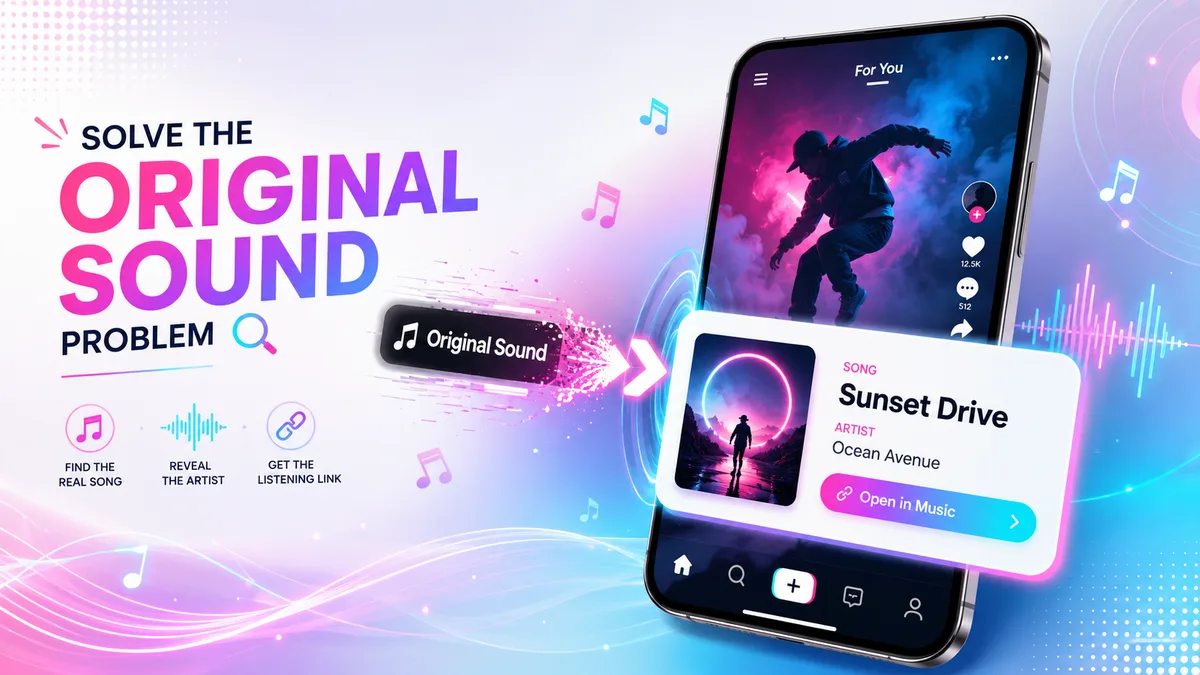
You hear a perfect track in a TikTok video. Maybe it is a moody synth loop under a travel edit, a sped-up pop chorus in a makeup transition, or a tiny 8-second audio clip that has been stuck in your head all afternoon. You tap the spinning sound disc expecting a clean song title, but TikTok only shows Original sound. No artist name. No track title. No useful clue.
That label does not always mean the creator made the music from scratch. It often means the audio was uploaded as part of a video, edited before posting, mixed with voiceover, slowed down, sped up, pitched, cropped, or re-used from another source. In other words, TikTok may know the audio exists on the platform, but it may not show the real song behind it.
This guide explains how to find the real song behind TikTok original sound using practical methods that actually work: checking the sound page, reading comments, searching lyrics, using audio recognition, comparing mobile and desktop options, and using a TikTok original sound finder when you have only a video link. If TikTok says original sound but not song name, you still have several good ways to identify the TikTok song name and artist.
Why TikTok Says Original Sound Instead of the Real Song Name
On TikTok, Original sound is a platform label, not a guarantee that the audio is truly original music. It usually means the sound is attached to a creator's upload rather than matched to TikTok's official music library. A creator might upload a clip containing a commercial song, a remix, background music from YouTube, a movie scene, a podcast sample, or their own voice layered over a track.
This creates a common problem for anyone trying to find song from TikTok video. TikTok may display the creator's username as the audio source, while the actual track could be a popular song, an unreleased remix, a slowed-and-reverb edit, or a mashup. That is why a basic TikTok sound finder sometimes gives you only the sound page, not the true artist.
Another reason is editing. A song can be changed just enough that automatic recognition becomes harder. Common edits include speed changes, pitch shifts, bass boosts, added crowd noise, voiceovers, and short loops. A 5-second chorus with a voiceover on top is much harder to identify than a clean 30-second sample.
Think of TikTok "Original sound" as a container. The container belongs to the uploader, but the music inside may come from somewhere else.
For users, the goal is not just to open the TikTok sound page. The real goal is to find TikTok song name and artist, save the video for later, or locate the full track on platforms such as Spotify, Apple Music, YouTube, or SoundCloud. That is where a smarter TikTok original audio finder workflow helps.
How to Find a TikTok Song When TikTok Shows Original Sound
When you want to identify TikTok song details, start with the easiest clues before jumping to advanced tools. TikTok videos often hide useful information in places people skip: the caption, pinned comments, hashtags, creator replies, and the sound page description. A good TikTok song finder process is part audio recognition and part detective work.
- Open the TikTok video and tap the sound disc. Even if it says Original sound, the sound page may show other videos using the same audio. Check whether another creator mentioned the real song name in their caption.
- Read the top comments. Search for comments like "song?", "track name?", "what song is this TikTok?", or "artist?". On viral videos, someone often answers before the creator does.
- Check the caption and hashtags. Creators sometimes include hints such as #spedup, #slowed, #phonk, #editaudio, #capcuttemplate, #remix, or the artist's name.
- Listen for clear lyrics. Write down 5 to 8 exact words and search them in quotes on Google or YouTube. Lyrics are often faster than audio recognition when the clip includes vocals.
- Use audio recognition. Try Shazam, Google Assistant, SoundHound, or another TikTok music identification app. Play the TikTok from one device and recognize it from another for cleaner results.
- Use the TikTok link. Copy the video URL and try a tool like TikPink Music Finder to find TikTok music by video URL when manual search is messy.
On iPhone, audio recognition is often easiest if you use Shazam from Control Center while the TikTok plays. On Android, Google Assistant or the Google app's song search can work well, especially when the track has a clear melody. On desktop, you can open TikTok in a browser, copy the link, and use a TikTok audio finder from URL without needing to screen record the video.
Find the Song From a TikTok Link
Paste a TikTok video URL and look for the real song name, artist, and audio source in seconds.
Try TikPink Music FinderBest TikTok Song Finder Tips for Links, Lyrics, Remixes, and Covers
A TikTok song identifier works best when you give it the cleanest possible signal. The problem is that TikTok audio is often compressed, cut short, and mixed with other sounds. If the first attempt fails, do not assume the song is impossible to find. Change the method.
- Use the original video link when possible. A TikTok sound search by link is better than searching a re-upload, because re-uploads may have worse audio quality or extra watermarks.
- Search lyrics with quotation marks. If you hear "running through the city lights", search that exact phrase. Remove words you are unsure about and try again.
- Add TikTok-specific terms. Search combinations like the lyric plus "TikTok sped up", "TikTok remix", "TikTok edit audio", or "TikTok original sound to song name".
- Check YouTube Shorts and Instagram Reels. The same audio often spreads across platforms. A sound hidden on TikTok may be properly credited elsewhere.
- Look for cover versions. If Shazam gives the wrong result, the clip may be a cover, live version, mashup, or instrumental remake.
- Avoid guessing from the first result. Many TikTok audios use the same lyric line. Confirm the beat, voice, tempo, and chorus before saving the result.
One common mistake is searching only the words shown on screen. Text overlays are often jokes, captions, or unrelated storytelling. Another mistake is trusting the uploader name as the artist. If a sound says Original sound by a creator, that creator may simply be the first person who uploaded the clip.
For a cleaner workflow, save the video first with TikPink's TikTok video downloader, then use TikPink Music Finder to work from the video URL. If the sound belongs to a creator you want to follow, you can also check their account with the TikTok profile viewer or save their avatar with the profile picture downloader.
FAQ: TikTok Original Sound Finder Questions Answered
How do I find the song when TikTok says Original sound?
Start by tapping the sound disc, checking comments, reading the caption, and searching any lyrics you can hear. If that fails, copy the video link and use a TikTok original sound finder such as TikPink Music Finder. For difficult clips, combine link-based search with audio recognition.
Can I find a song from a TikTok link online?
Yes. A TikTok audio finder from URL can help when you do not want to download apps or record audio manually. This is especially useful on desktop, where copying a TikTok link is faster than sending the video to your phone.
Why does Shazam sometimes fail on TikTok videos?
Shazam and similar apps work best with clean, recognizable music. TikTok clips are often short, compressed, pitched, slowed, sped up, or covered by voiceover. If the app fails, search lyrics, check comments, or try a cleaner section of the video.
Can I find TikTok song name and artist without Shazam?
Yes. You can use lyrics search, YouTube search, TikTok comments, the sound page, creator captions, Google song search, or a TikTok song finder that works from the video URL. Finding the artist of a TikTok sound is often possible even when the app only shows Original sound.
What if the audio is a remix or slowed version?
Search the main lyric plus terms like "sped up", "slowed", "remix", "edit audio", or "TikTok version". Many viral TikTok sounds are not the official album version, so the exact clip may come from YouTube, SoundCloud, or a fan-made edit.
Explore More Viral TikTok Sounds
See what is gaining traction and discover audio trends before they are everywhere.
View TikTok TrendsFind the Real Song Behind TikTok Original Sound: Key Takeaways
Finding the real song behind TikTok Original sound is not always a one-click job, but it is usually possible with the right process. The label can hide a real track, a remix, a cover, a sped-up edit, or a creator-uploaded audio clip. The trick is to treat every TikTok sound as a set of clues: link, lyrics, comments, captions, sound page, and audio fingerprint.
The fastest route is simple. First, check TikTok's own sound page and comments. Second, search any lyrics you can hear. Third, use audio recognition if the clip is clean enough. Fourth, copy the TikTok URL and run it through a TikTok music finder when the app only shows a creator's Original sound label.
For mobile users, iOS Control Center Shazam and Android Google song search are convenient. For desktop users, a link-based TikTok song name finder is often smoother. If you are collecting videos for later, use TikPink to save the TikTok video, then use TikPink Music Finder to identify TikTok song details from the link.
The biggest mistake is giving up after TikTok fails to show the official song title. TikTok is built around short clips and reused sounds, so crediting can be messy. With a careful workflow, you can usually move from "what song is this TikTok?" to the actual song name, artist, and full track source.